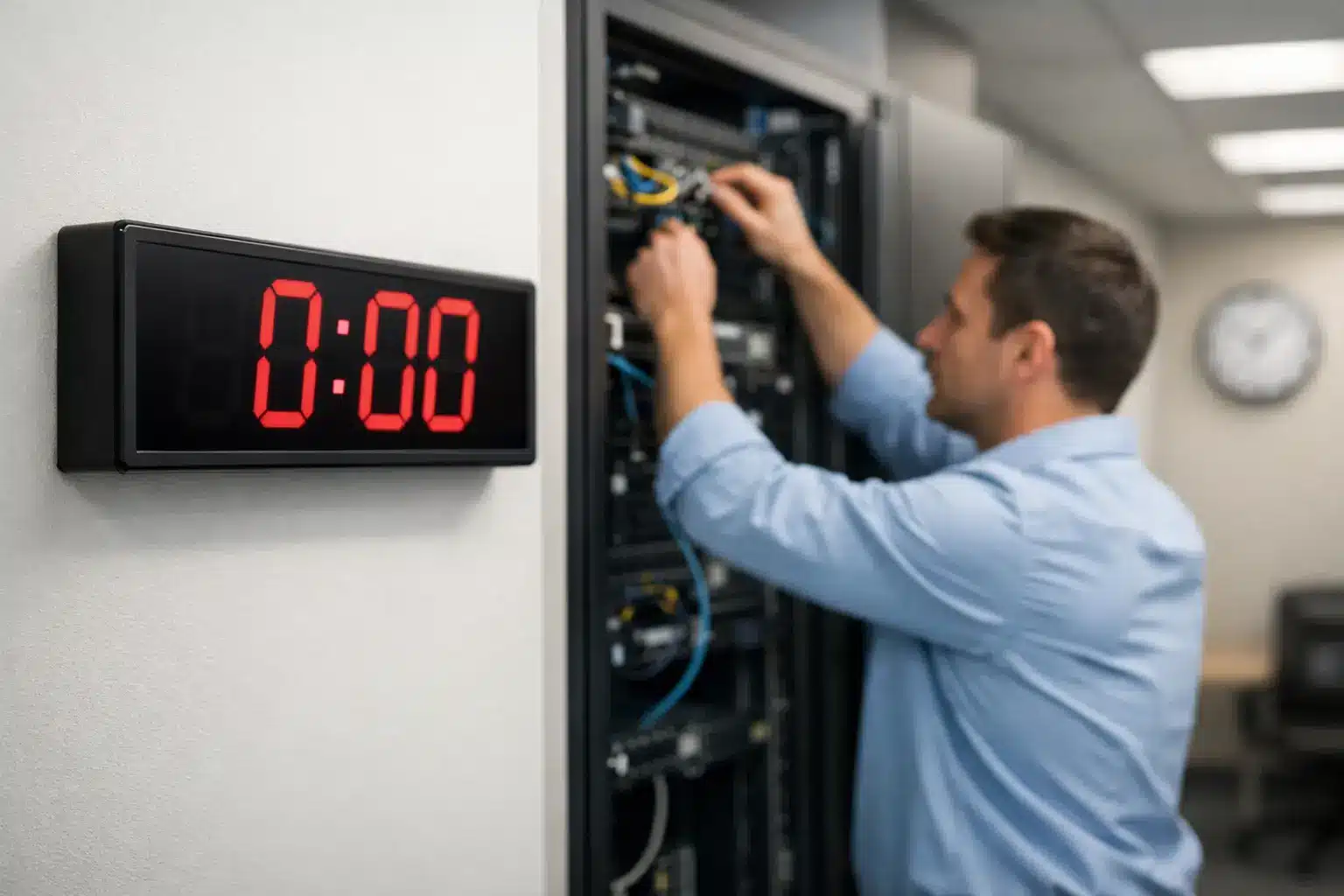
Commercial Clocks London Sites Can Rely On

A clock that is five minutes wrong in a reception area is an irritation. A clock that is five minutes wrong on a hospital ward, in a school examination room or across a transport facility can create confusion, missed handovers and avoidable pressure on staff. For organisations specifying commercial clocks London-wide, the requirement is rarely just to put a time display on a wall. It is to provide a clear, consistent and dependable source of time where people need to act on it.

London sites present particular challenges. Large estates may span several buildings, older properties may limit cabling routes, and high footfall can make visibility and durability more significant than appearance alone. The right specification begins with how time is used at the site, then selects the clock type and synchronisation method to suit it.

What a Commercial Clock System Must Do

A commercial clock is designed for operational use rather than domestic decoration. It needs to be legible at the required viewing distance, appropriate for its environment and reliable over a long service life. For a single office or small waiting room, a quality analogue quartz clock may be entirely suitable. For a multi-floor hospital or a school campus, independent battery clocks can quickly become difficult to manage.

The key distinction is whether every display must show precisely the same time. Where staff change shifts, lessons start to a timetable, passengers follow departure information or timed processes are monitored, synchronised timekeeping removes uncertainty. One central time source automatically corrects the clocks across the estate, avoiding the gradual drift that occurs when individual clocks are set by hand.

The most effective systems also take account of daylight saving changes automatically. This is a modest detail until an estates team has to access dozens or hundreds of clocks at the end of March and October.

Choosing Commercial Clocks for London Buildings

The choice should be based on the building, operational need and installation constraints. There is no single best system for every site.

Analogue clocks for clear, familiar time

Analogue commercial clocks remain a practical choice for classrooms, corridors, care settings, offices and public areas. Their face can often be read quickly from a distance, and they provide an immediately familiar display for visitors and staff. A large dial, high-contrast hands and a suitably sized case matter more than decorative styling in busy operational spaces.

Battery-powered quartz clocks are straightforward to install and can be cost-effective where there are only a few locations. The trade-off is ongoing battery replacement and manual time adjustment. They are a sensible option where absolute synchronisation is not required, but less suitable when time consistency affects daily operations.

LED clocks for long-distance visibility

LED digital clocks are often specified where time must be seen quickly from across a hall, warehouse, sports facility or platform area. Bright numerals, selectable digit heights and 12 or 24-hour formats allow the display to be matched to the viewing distance and user group.

Brightness needs careful consideration. A display that works well in a naturally lit warehouse may be too intense for a clinical room or low-light control area. Viewing angle is equally relevant, particularly in corridors, large open spaces and areas where people approach from more than one direction. In some locations, double-sided clocks provide better coverage than placing multiple single-sided units.

Branded clocks for public-facing spaces

A branded clock can be appropriate in receptions, visitor centres, leisure venues and customer areas. It offers a professional, practical display while incorporating an organisation’s identity. The clock still needs to meet the same standards for legibility and reliability, so branding should support the function rather than obscure the dial or reduce contrast.

Selecting the Right Synchronisation Method

A synchronised system can use several methods to distribute accurate time. The best option depends on the site infrastructure, the number of clocks, building fabric and future expansion plans.

Wireless systems

Wireless synchronised clocks receive time from a master clock or transmitter without requiring a data cable to every clock position. They can be particularly useful in occupied buildings, listed properties and refurbishment projects where running new cables would be disruptive or costly.

Radio coverage should be assessed as part of the design. Dense concrete, metal partitions, basements and long building layouts can affect signal performance. A professional survey and correctly positioned transmitters help ensure all areas receive a dependable signal.

WiFi clock systems

WiFi clocks connect to an existing wireless network and can be managed through the network environment. This can be a strong option for sites with reliable, well-managed WiFi coverage, especially where facilities teams want clocks to use the same trusted time reference as other connected systems.

However, WiFi is not automatically the simplest answer. Network access, security requirements, coverage in plant rooms or external areas, and the capacity of the wireless estate all need to be considered. The clock system should be planned with the organisation’s IT team, rather than treated as an isolated purchase.

PoE clock systems

Power over Ethernet, usually known as PoE, supplies both power and network connectivity through a single Ethernet cable. PoE clocks are well suited to new-build schemes, major refurbishments and controlled environments where a structured cabling network is already part of the design.

The benefits include continuous power, central network time synchronisation and reduced dependence on batteries. The trade-off is the need for a suitable cable route and PoE-capable switching. It is often an excellent long-term solution, but may be less economical for a small retrofit with only a handful of clocks.

Specification Points That Are Often Missed

Clock projects can appear simple until the practical details are examined. The following points should be established before equipment is selected:

  • viewing distance, mounting height and whether people will read the time while moving;
  • ambient light levels, including bright glazing, direct sunlight and overnight lighting;
  • cleaning requirements, tamper risk and the need for impact-resistant or specialist housings;
  • the source of accurate time and whether integration with existing systems is required;
  • access for installation, maintenance and future replacement; and
  • the number of clock locations planned for later phases of the estate.

For example, a standard office clock may be unsuitable for a sports hall where it needs to be read from 30 metres away. A wireless clock that performs well in an open school corridor may need further coverage planning in a basement clinical department. Good specification is about resolving these conditions before installation, not correcting them afterwards.

Sector Requirements Change the Detail

Healthcare environments need accurate, consistent time for appointments, medication rounds, clinical handovers and staff coordination. Clock faces must be clear without becoming visually intrusive, while synchronisation can support a common reference across wards, treatment areas and public spaces.

Schools and colleges benefit from visible clocks in classrooms, corridors, examination rooms and sports facilities. A synchronised system helps ensure lesson changes and timed assessments are based on the same time. Large digital displays may be appropriate in halls, but are not necessarily needed in every classroom.

Warehouses and manufacturing facilities generally prioritise distance visibility, durability and dependable operation. Large LED displays can support shift changes, production timing and operational coordination. In these settings, clock placement should account for racking, machinery, vehicle routes and high-bay lighting.

Transport and public-facing facilities require clocks that can be understood at a glance by large numbers of people. High contrast, dependable synchronisation and suitably positioned displays all contribute to an orderly customer experience. Where clocks sit alongside other information systems, a common time source is especially valuable.

Plan for the Whole Estate, Not Just Today’s Requirement

A clock system should be proportionate to the immediate project, but it should not close off sensible expansion. A site may start with a new reception, a ward extension or several refurbished classrooms, then later add clocks to other areas. Selecting a scalable master clock and a method that can accommodate additional displays may reduce future disruption.

This is where a consultative supplier adds value. Clock Systems Service Ltd works from the operational requirement, considering display type, positioning, synchronisation and site constraints before recommending a configuration. That approach is more useful than choosing a clock solely from a product image or unit price.

For London organisations, the best commercial timekeeping is usually the system nobody has to think about. Staff can trust it, visitors can read it, and facilities teams are not spending time resetting individual clocks. Start with the decisions people make against the clock, then specify the system that keeps every part of the site working to the same time.

How to Improve Warehouse Time Visibility On Site

A missed loading cut-off, a late shift handover or a break that runs five minutes over can affect far more than one task. In a busy warehouse, staff need to see the same accurate time at the point where decisions are made. Understanding how to improve warehouse time visibility starts with treating time displays as operational equipment, not a minor building accessory.

Warehouse teams work across large, noisy and often visually demanding spaces. Pick faces, despatch benches, marshalling areas, goods-in bays, offices and welfare rooms can all have different sight lines, lighting levels and working patterns. A small clock mounted in the wrong position may technically be present, yet offer little practical value.

Why warehouse time visibility affects daily performance

Time is a shared reference point in warehouse operations. It supports shift starts, break control, carrier collections, stock counts, planned maintenance, vehicle movements and customer service commitments. Where clocks disagree, are difficult to read or are absent from key areas, staff are more likely to rely on personal devices, vehicle dashboards or assumptions. That introduces inconsistency at precisely the point where a coordinated operation needs clarity.

The issue is not simply whether a clock is accurate. It is whether the time can be read quickly, without leaving the work area or interrupting a task. In a high-bay picking aisle, for example, a conventional small analogue clock may be unsuitable even if it is accurate. A bright, large-format LED display positioned at the end of the aisle may be the more effective choice.

Clear time visibility also assists supervisors. When a team can see a common time reference, conversations about planned despatch, labour allocation and handover are based on the same information. This can reduce avoidable disputes over timings and make daily routines easier to manage.

Start with a visibility survey, not a clock catalogue

The most effective way to improve warehouse time visibility is to assess the site before specifying equipment. Clock type, size and connection method should follow the operating environment, rather than being selected on appearance alone.

Walk the warehouse at the times it is busiest. Look from the perspective of pickers, forklift operators, goods-in staff, packers and supervisors. Identify where people naturally look while working and where they wait, queue or make time-sensitive decisions. Consider the viewing distance, the direction of travel, obstructions such as racking, changing daylight and glare from high-level lighting.

It is useful to map the areas where time is operationally critical. These commonly include goods-in, picking and packing zones, despatch, loading bays, battery charging areas, staff entrances, canteens, transport offices and control rooms. The answer will differ by site. A compact warehouse with a single despatch area may need only a few well-positioned displays, while a multi-zone distribution centre may need a coordinated system across several buildings.

Define the time standard first

Every display must show the same time. This sounds basic, but it is where many warehouses fall short. Battery clocks can drift over time, and manually adjusted clocks are easily missed when British Summer Time begins or ends. If the office clock, warehouse clock and clocking-in terminal differ, staff will naturally question which one governs the working day.

A synchronised clock system provides a single time source for all connected displays. Depending on the site and infrastructure, this may be delivered through wireless, WiFi or Power over Ethernet (PoE) technology. The appropriate option depends on building construction, network policy, power availability, coverage and whether the installation is part of a new build or a live operational site.

Wireless systems can reduce cabling disruption in established warehouses, particularly where access above racking is difficult. WiFi clocks can suit sites with reliable, managed network coverage, although IT approval and network resilience must be considered. PoE clocks combine power and data through the network cable, making them a practical choice where structured cabling is available and central network management is preferred. For isolated or lower-priority areas, a quality battery clock may still be appropriate, provided it does not become the only reference time for the operation.

Choose displays for distance, lighting and task

Clock visibility is largely determined by display size, contrast and placement. It is common to underestimate viewing distance in a warehouse. A display that appears generous at desk height can be unreadable from a picking aisle or loading bay.

Large LED clocks are often well suited to long viewing distances, high ceilings and areas where staff need to read the time at a glance. Bright digits can remain legible in varied lighting conditions, but specification needs care. Excessively bright displays can cause glare in darker zones, while insufficient brightness can make the clock ineffective near roller shutters or daylight-facing entrances. Digit height, brightness setting and viewing angle should be assessed together.

Analogue commercial clocks remain a practical option in offices, canteens, meeting rooms and welfare areas where viewing distances are shorter and a familiar clock face is preferred. In these settings, a clear dial, strong hands and suitable case size matter more than advanced display technology. The key requirement remains consistency with the site-wide time source where timing affects attendance or handovers.

Mounting position is equally important. Place clocks high enough to remain visible above people, pallets and equipment, but not so high that they require staff to strain to read them. In long aisles, end-wall placement may serve a large area. In cross-aisles or wide marshalling spaces, double-sided clocks can provide visibility from more than one direction. Avoid locations behind racking uprights, above temporary storage positions or directly opposite strong daylight.

Build time visibility around real warehouse routines

A well-specified system should support the rhythm of the operation. Start with the moments where a visible, trusted time makes a material difference: shift changes, carrier deadlines, production feeds, scheduled replenishment, safety checks and staff breaks.

At despatch, a prominent synchronised display helps teams work towards collection times without repeatedly checking a device. At goods-in, it supports scheduled delivery slots and receiving cut-offs. In a packing area, it gives supervisors and operatives a shared reference during peak periods. In welfare spaces, clear time displays help staff return promptly without making personal mobile phones the default clock.

For multi-shift sites, consider what happens during handover. A clock should be visible at the briefing point, not only in the manager’s office. Where contractors, visiting drivers or temporary staff move through the site, public-facing displays can also make operational expectations clearer without relying on verbal instructions.

Time visibility should complement warehouse management systems, labour-management tools and clocking-in arrangements, not replace them. Software may record activity to the second, but a visible clock remains the immediate reference for people on the floor. The two serve different purposes.

Maintain accuracy and plan for change

A time system only remains useful if it stays accurate and visible. Include clock checks in planned facilities inspections, particularly after building alterations, racking changes or lighting upgrades. A clock that was well placed at installation can become obscured as the warehouse layout evolves.

For synchronised systems, confirm how the master time source is managed and what happens if network connectivity or power is interrupted. Facilities and IT teams should understand their respective responsibilities, especially with WiFi and PoE installations. The aim is not to make the system complicated, but to ensure that a fault does not leave different areas showing different times.

Also plan for expansion. A warehouse may add a mezzanine, extend its despatch operation or create new temperature-controlled zones. Selecting a system that can accept additional clocks later is often more economical than starting again when the site changes.

How to improve warehouse time visibility without over-specifying

More clocks do not automatically create better visibility. A warehouse filled with poorly positioned displays can still leave teams searching for the time. The right approach is to provide an accurate, consistent and readable reference at the points where it supports work.

For smaller sites, this may mean a synchronised clock at goods-in, despatch, the main warehouse floor and the staff welfare area. For larger facilities, it may involve multiple LED displays, double-sided units at key intersections and a centrally managed synchronisation method. The scale should match the operation, its risks and its working patterns.

A site survey and a clear view of the daily workflow will usually reveal the right answer. When every team can see the same dependable time without breaking stride, the warehouse is better placed to keep work moving to plan.

How to Plan Hospital Clock Coverage Effectively

A medication round, theatre list, clinic appointment and visiting period can all depend on the same thing: staff and patients being able to see the correct time immediately. Learning how to plan hospital clock coverage is therefore not simply a matter of fitting clocks to walls. It is a site-wide exercise in visibility, consistency, resilience and practical installation planning.

A hospital may contain wards, operating theatres, diagnostic rooms, corridors, waiting areas, receptions, plant spaces and external approaches, each with different viewing distances, lighting conditions and operational priorities. A clock specification that works in a small consulting room will not necessarily work above a busy nurses’ station or in a long public corridor.

Start with operational areas, not a clock quantity

The most common planning error is beginning with a target number of clocks. Start instead by mapping the areas where accurate, visible time supports a clinical, operational or public-facing activity. This identifies the coverage required and avoids installing clocks where they are difficult to read while overlooking locations where they are genuinely needed.

For each department, consider who needs the time, when they need it and from where they will view it. Nursing staff may need a clock visible from medication preparation areas, bays and nurses’ stations. Theatre teams may require clear, reliable time displays from key working positions. Patients and visitors need legible clocks in waiting rooms, outpatient clinics and ward areas without needing to search for them.

Coverage plans should also account for supporting spaces. Reception desks, staff rooms, kitchens, service corridors, loading areas and security points can all benefit from consistent time, particularly where shifts, deliveries or visitor access are managed to set schedules.

Build a room-by-room coverage survey

A practical survey records the room use, dimensions, ceiling height, likely viewing positions, ambient lighting and proposed clock location. Photographs and marked-up floor plans are useful, particularly on larger estates where several stakeholders will review the proposal.

Do not assume one clock per room is sufficient. A long ward, open-plan reception or double-loaded corridor may need clocks at both ends, or a double-sided model positioned centrally. Equally, a small treatment room may only require one compact clock in a position visible to both staff and patient.

The survey should identify existing clocks too. Some may remain in place, while others create an immediate risk of inconsistent time if they continue to run independently alongside a new synchronised system.

How to plan hospital clock coverage by visibility

Clock visibility should be specified against real viewing conditions rather than appearance alone. The key factors are viewing distance, digit or dial size, contrast, glare and the direction from which people approach or work within the space.

Analogue clocks remain an effective choice in wards, waiting rooms and public areas because they are instantly understood and offer a familiar visual reference. A clear white dial, strong black numerals and contrasting hands will generally suit broad hospital use. However, analogue clocks must be large enough for the intended viewing distance and should not be lost against a busy wall finish.

LED digital clocks are often better suited to locations where time needs to be read quickly and precisely. They are particularly useful in theatres, diagnostic departments, laboratories, control points, larger reception areas and long corridors. High-contrast red, green or amber LED displays can provide strong visibility, but the colour, brightness and display format should be appropriate for the local environment. Excessive brightness in low-light clinical settings can be distracting, while insufficient brightness may make a display ineffective in glazed or strongly lit areas.

Position clocks away from direct sunlight, reflective glazing, bright task lighting and visual clutter. A clock mounted above a doorway can be useful in circulation areas, but only if it remains legible from the intended approach. In open areas, a double-sided clock can improve coverage without adding multiple wall installations.

Match clock type to the clinical setting

Hospital clock coverage is rarely achieved with one clock type throughout. A mixed specification is often the most effective approach.

Inpatient wards and waiting rooms commonly suit large-dial analogue clocks or clear digital displays. Operating theatres and procedure rooms may require LED digital clocks with highly visible numerals. Public entrances and main corridors can benefit from large, double-sided displays. Staff-only rooms may need simpler wall clocks, provided they remain part of the same synchronised time source.

Where infection prevention requirements affect the installation, choose housings and mounting arrangements that are easy to clean and do not create unnecessary dust traps. The precise requirement will depend on the room classification and the hospital’s local estates and infection control policies.

Choose one reliable time source

A hospital clock system is only as useful as its time consistency. Independent quartz clocks can be suitable for isolated, low-priority spaces, but they introduce a maintenance burden and can drift apart. In a clinical environment, a clock that differs by even a minute from the rest of the site creates uncertainty at the point it is most unwelcome.

Synchronised clocks receive the same reference time from a central source, ensuring that every connected display adjusts together. This supports coordinated handovers, appointment timing, scheduled procedures, medication activity and accurate communication between departments.

The appropriate distribution method depends on the building infrastructure, estate size and project constraints:

  • Wireless synchronised clock systems can be well suited to refurbishment projects or buildings where new cabling would be disruptive. Signal coverage must be surveyed carefully, especially around dense construction, basement areas and equipment-heavy departments.
  • WiFi clocks can be a practical option where an existing managed wireless network provides dependable coverage and the IT team is able to support the required network configuration.
  • PoE clocks combine power and network connectivity through a single Ethernet cable. They are often attractive for new builds, major refurbishments and controlled IT environments, but require suitable structured cabling and switch capacity.
  • Wired pulse or hard-wired systems may be appropriate where an established infrastructure already exists or where the project requires a dedicated physical connection.

There is no universal best option. A wireless solution may reduce installation disruption, while PoE can offer strong central management where cabling is available. The decision should be based on the site survey, future maintenance arrangements, IT governance and the need to extend the system later.

Plan for resilience and maintainability

Time distribution should be treated as an operational system rather than a collection of wall-mounted products. Ask what happens if a network connection is interrupted, a mains supply fails or a transmitter needs replacement. The answer will vary by system, but the design should be clear before procurement begins.

Consider backup power for the central time source where continuity is critical. Confirm how clocks behave during a temporary loss of signal or network access, how they recover and whether manual intervention is needed. Battery backup in individual clocks may also be relevant, particularly where short power interruptions are common.

Maintenance access matters as much as initial installation. Clocks mounted at height or above fixed equipment are harder and more costly to service. Specify locations that remain reachable without disrupting clinical activity where possible. For battery-operated units, establish a planned replacement programme rather than waiting for individual clocks to fail.

A sensible plan also allows for expansion. Hospital estates change constantly: departments move, corridors are reconfigured and temporary clinical areas become permanent. Selecting a system with capacity for additional clocks and a documented layout will make future work faster and more controlled.

Coordinate estates, clinical users and IT early

Clock coverage sits between several responsibilities. Estates teams understand fabric, access, electrical works and installation constraints. Clinical teams understand workflow and sightlines. IT teams may control WiFi, network access, IP addressing and cybersecurity requirements. Procurement teams need a clear specification that can be assessed against quality, price and whole-life cost.

Bring these groups together before a clock type or technology is finalised. A clock location that looks ideal on a drawing may interfere with medical equipment, wall protection, signage, service routes or cleaning procedures. Similarly, a network clock proposal can stall late in the project if IT requirements have not been agreed.

For major schemes, use a coverage drawing that shows every clock reference, mounting position, display type, power or network requirement and synchronisation method. This provides installers, project managers and future estates teams with a single agreed record.

Commission the system before handover

Installation is not the end of the project. Every clock should be checked from its intended viewing position, not only confirmed as powered and displaying time. Walk the ward, corridor or waiting area at normal eye level and verify that the display can be read quickly in typical lighting conditions.

Test synchronisation across all zones, including remote buildings and lower-ground spaces. Confirm automatic time changes, network or signal recovery behaviour and any central management functions. Record clock locations, device identifiers, system settings and maintenance responsibilities as part of the handover information.

A well-planned system gives staff one less variable to question during a busy shift. For hospitals planning a new installation or replacing inconsistent legacy clocks, a specialist survey and fit-for-purpose design from Clock Systems Service Ltd can turn that requirement into dependable, visible coverage across the estate.

Choosing Reliable Clock Systems for NHS Wards

A ward can run on different priorities from one hour to the next: medication rounds, observations, meal service, visiting times, transfers and handovers. If clocks show conflicting times, staff lose a simple but essential point of reference. Clock systems for NHS wards provide a consistent time display across patient areas, nurses’ stations, treatment rooms and circulation spaces, helping teams work to the same schedule.

For estates and facilities teams, the requirement is not simply to fit more clocks. It is to specify a timekeeping system that is visible, dependable, practical to maintain and suited to the hospital’s infrastructure. The right answer will vary between a single ward refurbishment and a multi-building hospital project.

Why accurate ward timekeeping matters

Time is a working tool in a clinical environment. It supports the routine coordination of care and enables staff to record events accurately. A clock at a nurses’ station may be referenced during a handover; a highly visible display in a bay allows staff to check the time without leaving a patient; clocks in corridors and waiting areas help patients, visitors and portering teams orientate themselves.

The problem with independently set battery clocks is gradual drift. A few minutes of difference between a ward clock, a treatment room clock and the time shown on a workstation can create avoidable confusion. Seasonal clock changes also create a maintenance task across a large estate, with the risk that some units are missed.

A synchronised system addresses this by driving every connected clock from a common, reliable time source. Once installed and configured correctly, the displayed time remains aligned across the defined area or site. This is particularly valuable where staff move between departments or where the same operational timetable applies across several wards.

Clock systems for NHS wards: the main options

There is no universal system type for every hospital. Building age, ceiling construction, cable routes, existing network capacity, clinical programme and future expansion all affect the most suitable specification. The principal options are wired, wireless, WiFi and Power over Ethernet systems.

Wired synchronised clocks

A wired clock system uses dedicated cabling to distribute time from a central controller or master clock. It is a sensible choice during new-build projects, major refurbishments or works where containment and cable routes are already being installed.

Its principal benefit is a fixed, controlled connection. For large installations, this can provide a highly dependable basis for synchronisation without relying on radio coverage or local wireless conditions. The trade-off is installation complexity. Retrofitting cables into a live ward environment can involve more disruption, access planning and cost than other approaches.

Wireless clock systems

Wireless synchronised clocks receive time from a master transmitter or controller, removing the need for a cable to each clock position. This can be particularly useful for refurbishment work, older buildings and phased installations where opening walls or ceilings is undesirable.

Coverage must be assessed rather than assumed. Dense construction, reinforced concrete, plant rooms, lift shafts and the layout of a large hospital can affect signal performance. A proper survey considers the proposed transmitter location, ward geography and any areas likely to sit at the edge of coverage. In some cases, additional transmitters or repeaters may be required.

WiFi clock systems

WiFi clocks connect through the organisation’s existing wireless network and synchronise through approved network time services. They can suit sites with well-managed WiFi infrastructure and can be easier to extend across buildings where wireless coverage is already established.

This approach needs early engagement with IT. Network access, device management, security requirements, IP addressing and the availability of a trusted time source all need agreement before equipment is selected. WiFi is not automatically the lowest-cost route if the required wireless coverage is weak or unavailable in the precise areas where clocks are needed.

PoE clock systems

Power over Ethernet, usually shortened to PoE, combines power and network connectivity through a single structured data cable. PoE clocks are often specified where network cabling is available or planned and where a facilities team wants a network-managed solution without local power supplies.

They are well suited to planned construction and refurbishment projects, but the network design matters. Switch capacity, available PoE budget, port allocation and resilience arrangements should be reviewed with the IT team. If network equipment is supported by an uninterruptible power supply, that may also be relevant to the clock system’s continuity arrangements.

Specify visibility before selecting the technology

Synchronisation is only one part of the brief. A clock that is accurate but hard to read does not solve the operational problem. Clock position, display size, contrast and viewing distance should be considered room by room.

Analogue clocks remain a practical choice for many ward bays, day rooms, corridors and reception points. Their familiar face can be read quickly at a glance, including from a distance. Large, clear numerals and a suitable dial colour can improve legibility under typical ward lighting.

Digital LED clocks are often preferable where a precise numeric readout is required, particularly at nurses’ stations, in treatment areas or in locations where seconds may be operationally useful. The display should be sized for the actual viewing distance, not simply selected from a catalogue image. Brightness also requires consideration: a display intended for a public concourse may be unsuitable if it causes glare or distraction in a low-light clinical setting.

Clock mounting is equally important. A single-sided wall clock may be sufficient in a bay, while a double-sided corridor clock can be read from either direction. Avoid placing clocks where privacy curtains, door positions, signage, clinical equipment or high-level service installations block the sightline.

Plan for the ward environment

NHS wards are demanding environments. Equipment must be capable of routine cleaning and should be selected with infection prevention and control requirements in mind. Smooth, accessible surfaces and suitable housing make planned cleaning more straightforward, while clock location should avoid creating unnecessary dust traps or inaccessible areas.

The system should also reflect how the ward operates. Patient-facing areas usually need clear, calm time displays, whereas staff-only spaces may require a more detailed digital format. Not every location needs seconds, and adding them everywhere can create visual clutter without an operational benefit.

For dementia-friendly or older persons’ wards, a large analogue clock with clear numerals may be more helpful than a compact digital display. In contrast, higher-acuity settings may need a display that makes hours, minutes and seconds immediately legible. The best design is based on the users and tasks in each space, not a one-size-fits-all standard.

Questions to resolve during specification

A clear brief avoids late changes and ensures the selected system can be installed without compromising the ward programme. Before placing an order, project teams should establish:

  • which rooms, corridors and shared spaces require clocks, including future expansion areas;
  • whether the installation is a new build, refurbishment or live-environment retrofit;
  • the preferred time source and the level of resilience required if network or power services are interrupted;
  • whether IT approval is needed for WiFi or PoE devices;
  • the required display type, viewing distance, mounting arrangement and need for seconds;
  • cleaning, access and maintenance requirements; and
  • who will own routine checks, battery replacement where applicable, and changes to system settings.

It is also worth identifying interfaces with other project disciplines early. Ceiling plans, containment routes, wireless access points, electrical drawings and fire compartmentation can all affect the installation. A clock system may be a relatively small package within a ward scheme, but late coordination can still lead to compromised locations or avoidable disruption.

Central control and future maintenance

The value of a synchronised system is not limited to the day it is commissioned. Central control reduces the need for manual adjustment at individual clocks and supports a more consistent approach to British Summer Time changes. It also makes it easier to add clocks as wards are altered, extended or repurposed.

However, a system should be proportionate. A small ward with limited clock positions may not need the same architecture as a large acute hospital campus. Conversely, choosing standalone clocks purely to reduce initial spend can introduce ongoing maintenance work and inconsistent timekeeping across a wider site. The right balance depends on the scale of the estate, infrastructure already in place and the operational cost of managing separate clocks.

Clock Systems Service Ltd supports project-led clock specifications, from visible analogue and LED displays to wired, wireless, WiFi and PoE synchronised systems. A site-led assessment allows clock locations, technology and maintenance requirements to be considered together rather than treated as separate purchasing decisions.

A well-specified ward clock system should fade into the background because it simply works: every display is clear, every area shows the same time, and staff can concentrate on the work in front of them.

How to Specify School Clock Installations

A school day can lose its rhythm quickly when classroom clocks disagree. A pupil watching a clock five minutes fast, a teacher relying on a slow display and a bell system operating to a third time source create avoidable pressure at every lesson change. Knowing how to specify school clock installations means treating timekeeping as an operational system, not simply choosing clocks from a catalogue.

The right specification gives staff and pupils a clear, consistent reference time across classrooms, corridors, halls, reception areas and external spaces. It should also account for the building fabric, available power and network infrastructure, installation constraints and the likelihood of future expansion.

Start with the school’s operational requirements

Before selecting clock types or synchronisation technology, establish where accurate time matters and who needs to read it. A primary school may need a straightforward solution for classrooms, the hall and reception. A secondary school, academy campus or college may require a coordinated system across several buildings, specialist teaching spaces, sports facilities and entrances.

The key question is whether clocks only need to display the correct time or whether they must support a wider time-led operation. Where lesson changes, examinations, staff movement, pupil supervision and public-facing areas depend on the same reference time, synchronised clocks are normally the appropriate choice.

Consider the existing bell, public address, access-control and IT arrangements at this stage. These do not always need to connect to the clock system, but understanding the wider site avoids specifying isolated equipment that creates another time source for staff to manage.

A short site brief should identify the number of buildings, rooms and circulation areas; the intended clock locations; expected viewing distances; existing network coverage; available electrical supplies; and any refurbishment or new-build programme. This gives contractors and suppliers the information needed to design a suitable system rather than make assumptions from a floor plan alone.

Choose clocks for each teaching environment

There is rarely one clock format that suits every area of a school. Analogue clocks remain a practical choice for many classrooms. They are familiar, easy to read at a glance and available in sizes suited to typical teaching spaces. A larger dial may be necessary in wider rooms, halls or dining areas where viewers are further from the wall.

Digital LED clocks are particularly effective where fast, long-distance reading is required. Corridors, sports halls, reception spaces, workshops and large assembly halls can benefit from high-contrast displays. Specify the digit height according to the likely viewing distance, not simply the wall space available. A clock that looks substantial close up may be difficult to read from the far end of a hall.

Clock placement matters as much as display type. Avoid locations affected by glare from windows, projectors or ceiling lights. In classrooms, a clock should be visible from normal teaching and seating positions without competing with a whiteboard or display screen. In corridors, provide enough coverage that staff and pupils do not have to stop or turn back to check the time.

For outdoor areas, select equipment designed for the environment. Weather resistance, brightness, viewing angle and mounting method all need consideration. An internal LED clock fitted behind glazing may be adequate for a covered entrance, but it is not automatically a substitute for a purpose-designed external display.

How to specify school clock installations with synchronisation

A synchronised clock system ensures every connected clock receives the same time automatically. This removes the annual task of changing individual clocks and prevents drift between rooms. It is especially valuable during examinations, emergency procedures and timed lesson changes, when one visible reference time helps maintain order.

The main decision is how clocks will receive that time.

Wireless clock systems

Wireless synchronised clocks communicate with a central transmitter or master clock. They can be an efficient option for occupied schools where installing new cabling would disrupt teaching, damage finishes or increase project cost. Battery-powered wireless clocks can also reduce dependence on local power outlets.

However, wireless coverage must be assessed properly. Thick walls, reinforced concrete, metalwork, plant areas and separate buildings can affect signal performance. A survey should confirm transmitter position, coverage requirements and whether repeaters or additional equipment are required. Do not assume that a system suitable for an open-plan site will perform identically in an older, compartmentalised school building.

WiFi clock systems

WiFi clocks use the school’s existing wireless network to obtain accurate time. They can be well suited to sites with reliable, managed WiFi coverage and an IT team willing to support the required network configuration. They may also offer flexibility where buildings are spread across a large campus.

The trade-off is that clock performance depends on network availability and appropriate configuration. Procurement teams should involve IT early to confirm network security requirements, device onboarding, coverage and the source of network time. Guest WiFi is not an appropriate basis for a permanent operational timekeeping system.

PoE clock systems

Power over Ethernet, or PoE, clocks receive both power and network connectivity through a single data cable. They are a strong option for new builds, major refurbishments and projects where structured cabling is being installed anyway. PoE can simplify local installation, avoid battery replacement and provide central network management.

The specification must confirm switch capacity, PoE power budget, cable routes and the provision of data points at each clock location. This route may have a higher upfront installation requirement than wireless, but it can be the most controlled and maintainable choice for a long-term estate strategy.

Specify visibility, mounting and durability

A clock schedule should state more than model and quantity. It should define dial or display size, face colour, digit colour where relevant, mounting arrangement, height, direction of viewing and the intended environment. Double-sided clocks may be appropriate in wide corridors, canteens and circulation spaces where people approach from both directions.

For analogue clocks, contrast is central to legibility. A clean white dial with clear black numerals and hands is often the most practical classroom choice. Decorative designs may suit a reception feature wall, but they should not compromise quick reading in operational areas.

Consider protection in locations where clocks may be struck by sports equipment or where vandalism is a concern. Sports halls and activity areas may need a more durable housing, careful placement or protective measures. In workshops, kitchens and science spaces, the clock should be appropriate for the conditions and straightforward to clean.

Mounting heights should account for sightlines, ceiling-mounted services and accessibility. A clock placed too high may be hard to read; one placed too low can be obstructed by furniture, displays or people standing nearby. The installer should coordinate final positions with the school and other trades before fixing begins.

Include installation details in the tender information

Clear tender information reduces variations, delays and unsuitable substitutions. For a multi-room or multi-building project, prepare a clock schedule that contractors can price consistently. It should include at least the following:

  • location and room reference for every clock;
  • clock type, size, colour and whether it is single- or double-sided;
  • synchronisation method and central time source requirements;
  • power, battery or network connection requirements;
  • mounting surface, fixing constraints and access considerations;
  • commissioning, testing and user handover requirements.

Where a project is part of a phased refurbishment, separate clocks required now from those intended for later phases. It is sensible to specify a system with sufficient capacity for foreseeable additions, particularly where an academy trust may extend a site or standardise timekeeping across several schools.

Also define responsibility for network configuration, electrical supplies, containment, making good and out-of-hours access. These elements are often outside the clock supplier’s direct scope, yet they determine whether installation proceeds efficiently. Early coordination between the estates team, main contractor, electrical contractor and IT department prevents last-minute changes to clock locations or connection methods.

Plan commissioning and ongoing support

Commissioning is not merely checking that each clock displays a time. The installer should verify that all clocks are synchronised, receiving their intended signal or network time, correctly positioned and visible from the required locations. The school should also confirm that the displayed time aligns with any bell schedule or other operational time reference.

Ask for clear handover information. Facilities teams should know how the master clock or management platform operates, how daylight-saving changes are handled, what routine checks are required and who to contact if a clock stops synchronising. Battery replacement expectations should be clear for wireless battery-powered installations.

Clock Systems Service Ltd can assist schools and project teams in matching clock format, visibility and synchronisation method to the realities of the site. The most effective specification is one that remains practical after the contractor has left: every clock is easy to read, every area follows the same time and the system can grow with the school rather than becoming another maintenance burden.

Wireless vs WiFi Clocks: Which Fits Best?

A school corridor where every clock shows a slightly different time creates more than a poor impression. In a hospital, warehouse or transport setting, it can affect handovers, timetables, workflows and accountability. That is why the question of wireless vs WiFi clocks matters so much in commercial environments – not as a technology preference, but as an operational decision.

For most buyers, the real issue is not which option sounds more modern. It is which system will deliver accurate, visible and consistent time across the building, with the least risk of disruption and the right level of control for the site.

Wireless vs WiFi clocks: the practical difference

At a basic level, both wireless and WiFi clock systems are designed to keep multiple clocks synchronised without the need for a traditional wired impulse network to every clock location. That similarity is useful, but it can also blur the important differences.

A wireless clock system typically uses a dedicated transmitter and receiver arrangement. The master clock or controller sends time signals across the site to compatible analogue or digital clocks. This creates a closed, purpose-built timekeeping system that does not rely on the building’s standard IT network for communication.

A WiFi clock system, by contrast, connects clocks through the site’s wireless network infrastructure. Each clock communicates via WiFi and receives time updates through the network environment, often synchronising to a central time source managed through software or a network time protocol.

That distinction shapes everything from installation and resilience to maintenance responsibility and long-term suitability.

When wireless clocks are the better fit

Wireless clocks are often the stronger choice where reliability, independence and straightforward deployment are the main priorities. In schools, care settings, warehouses and many healthcare environments, that independence from the wider IT estate is a major advantage.

Because the system is purpose-built for time distribution, it avoids many of the variables that can affect standard network performance. There is no dependency on WiFi access point density, SSID policies, network segmentation or future changes made by the IT team. For estates managers and contractors, that can make specification and installation much more predictable.

Wireless systems also suit sites where adding synchronised clocks is part of a refurbishment or phased improvement. If you want synchronised time displays across classrooms, corridors, reception areas and sports halls without significant cabling work, wireless can offer a practical route. It is especially useful in occupied buildings where disruption needs to be kept to a minimum.

Another strength is clear ownership. A dedicated wireless time system generally sits with the building or operations function rather than being heavily dependent on network administration. That separation is often valuable in larger organisations where estates and IT have different priorities and approval processes.

This does not mean wireless is automatically right for every site. Radio coverage must still be assessed properly, and large or complex estates may need repeaters, multiple transmitters or a more considered system design. Thick walls, plant areas and multi-building layouts can all influence performance if they are not accounted for early.

When WiFi clocks make more sense

WiFi clocks can be an excellent option in buildings with strong, well-managed wireless infrastructure and an IT team comfortable supporting connected devices. In the right environment, they offer flexibility and can align neatly with broader smart-building or networked device strategies.

For organisations that already manage many IP-based systems, WiFi clocks may feel like a logical extension of the existing estate. They can be particularly attractive where there is a preference for centralised visibility, remote configuration or integration with wider network policies.

WiFi clocks can also simplify rollout in spaces where network coverage is already comprehensive and consistent. If the building has reliable wireless connectivity in all required clock positions, adding clocks may be relatively straightforward from an infrastructure perspective.

That said, WiFi clocks are only as dependable as the network they rely on. Dead spots, coverage fluctuations, VLAN restrictions, security changes and access point refreshes can all affect connected devices if the system has not been planned with commercial timekeeping in mind. In environments where accurate visible time supports daily operations, that dependency needs careful consideration.

Reliability is not just a technical detail

For commercial buyers, the key difference between wireless and WiFi often comes down to where the risk sits. A wireless clock system places that risk within a dedicated timekeeping platform. A WiFi system places more of it within the wider network environment.

Neither approach is inherently better in every case. It depends on the building, the internal support structure and the consequences of time inconsistency. In a front office, a short interruption may be inconvenient. In an exam hall, clinical area or dispatch operation, it may be far more significant.

This is why sector context matters. In healthcare, the priority may be dependable synchronisation across departments with minimal ongoing network dependency. In education, the focus may be strong visibility, low disruption during installation and consistent time throughout the school day. In logistics or industrial settings, buyers may prioritise large-format displays and dependable operation in demanding conditions.

A good specification process starts with the operational requirement, not the fashionable technology label.

Installation, maintenance and responsibility

Installation is another area where wireless vs WiFi clocks should be assessed in practical terms rather than assumptions.

Wireless systems often reduce the need for extensive cabling compared with older wired synchronised clock installations, while still preserving a dedicated time signal structure. That can lower installation disruption and make retrofits more manageable, especially in existing public buildings.

WiFi systems may appear simpler because they use the existing network, but that simplicity depends on local reality. If IT approval is slow, network security is tightly controlled or coverage is uneven, the project can quickly become more involved. Survey work, permissions and coordination between departments can affect timescales just as much as physical installation.

Maintenance also follows different paths. Wireless clock systems are generally maintained as specialist time systems. WiFi clocks may involve both specialist product support and internal network oversight. For some organisations, shared responsibility works well. For others, it creates ambiguity when faults occur.

That is worth thinking about before procurement. If a clock falls out of synchronisation, who investigates first – estates, electrical contractor, IT helpdesk or the clock supplier? The best answer is the one that is already clear before the system is installed.

Visibility and clock type still matter

It is easy to focus on transmission method and overlook the more visible question: what type of clock is actually needed at the point of use?

An analogue corridor clock, a double-sided bracket clock in a circulation area, a large LED warehouse display and a clock for a clinical room do not all serve the same purpose. The best system is the one that matches synchronisation method with the correct clock format, viewing distance, environment and mounting requirement.

A technically capable system can still be the wrong choice if the displays are too small, poorly positioned or not suited to the conditions. Commercial clock specification should always bring together the method of synchronisation and the real operating environment.

That is where specialist supply has value. A project-led approach considers not only wireless or WiFi, but also durability, legibility, battery strategy, power options, building layout and future expansion.

How to choose between wireless and WiFi clocks

If the site needs a dependable, self-contained synchronised system with minimal reliance on the corporate network, wireless clocks are often the safer choice. If the building has excellent wireless infrastructure, strong IT support and a clear preference for network-connected devices, WiFi clocks may be entirely appropriate.

For multi-building sites, older estates, operational environments with strict reliability demands, or projects where estates teams want tighter control over the time system itself, wireless frequently comes into its own. For newer commercial environments with mature network governance, WiFi can fit well if coverage and support are genuinely in place.

The right decision usually comes from answering a few direct questions. How critical is visible time accuracy to day-to-day operations? How dependable is the site’s WiFi in every proposed clock location? Who will own the system after handover? How likely is the building layout or estate footprint to change? And what level of disruption is acceptable during installation?

Those answers matter more than broad assumptions about one technology being newer or more advanced than the other.

Clock Systems Service Ltd works with organisations that need time systems specified around their building, sector and operational demands rather than a one-size-fits-all product choice. That is often the difference between a system that simply works on paper and one that performs reliably in use.

When time has to be right everywhere, every day, the best clock system is the one that fits the site as it really operates.

Guide to Network Clock Installations

When a ward clock, classroom clock and reception clock all show different times, the problem is not cosmetic. It affects handovers, lesson changes, deliveries, sign-in records and public confidence. This guide to network clock installations is written for buyers and project teams who need accurate, visible time across operational buildings without creating unnecessary complexity.

What a network clock installation is really solving

A network clock installation uses your IP network to distribute accurate time to clocks across a site or estate. In practice, that means clocks can synchronise to a central time source rather than relying on manual setting or isolated battery operation. For estates teams and specifiers, the appeal is straightforward – one time reference, many displays, and less risk of drift between rooms or departments.

That matters most where timing supports operations rather than decoration. In healthcare, a minute out can create confusion between treatment areas, offices and waiting rooms. In schools, inconsistent clocks create avoidable friction during class changes and exams. In warehouses, transport settings and leisure facilities, legibility and consistency support workflow, punctuality and a more professional environment.

Guide to network clock installations: start with the site, not the catalogue

The most common mistake is choosing a clock type before defining the environment. Network-based systems are not a single product category with a single answer. The right specification depends on how the building is used, what infrastructure is already in place, and how much resilience you need if parts of the network are interrupted.

Begin with the operational brief. Ask where people need to read the time, how far away they will be, what lighting conditions apply, and whether the clock is for staff, visitors or both. A corridor clock in a primary school has a different job from a large-format LED unit on a warehouse wall or a clean, highly legible clock in a hospital department.

The next question is estate scale. A single building with modern structured cabling may suit a very different approach from a campus with older blocks, mixed refurbishment history and limited access to some ceiling voids. Network clock installations can work extremely well across both scenarios, but the design choices change.

Choosing between PoE, WiFi and other synchronised options

For many commercial sites, PoE is the most straightforward network clock option. It combines data and power through one cable, which can simplify installation and reduce dependence on local power points. It also gives facilities teams more control over device management. Where the network is well planned and switch capacity is available, PoE clocks are often a strong fit for new-builds, refurbishments and structured commercial environments.

WiFi clocks can be useful where cabling is difficult, disruptive or too costly to extend. They are often considered in live environments where opening up walls or ceilings is undesirable. The trade-off is that wireless performance depends on coverage quality, building materials and local network policies. If WiFi is patchy, the clock system will reflect that weakness.

There are also cases where a fully network-based solution is not the best answer across every area. Mixed estates sometimes benefit from combining technologies – for example, network clocks in core buildings and wireless synchronised clocks in harder-to-reach locations. That is why a consultative design approach matters. The goal is not to force one technology everywhere, but to create a time system that suits the site as it actually operates.

When PoE makes the most sense

PoE suits projects where you want clean installation, centralised control and minimal local electrical work. It is particularly effective where IT and estates teams are aligned, cabinet space is available, and the network has capacity for additional endpoints. In schools, offices and many healthcare environments, that can make procurement and maintenance more predictable.

When WiFi is the better compromise

WiFi can be the practical choice in listed buildings, occupied wards, older schools or buildings where running new cable would cause disruption. The compromise is that the underlying wireless network must be strong and stable in the exact clock locations, not just generally acceptable across the site.

Visibility, durability and placement matter as much as connectivity

A clock can be perfectly synchronised and still fail the brief if nobody can read it. Commercial clock selection is as much about visibility and suitability as it is about time distribution. Buyers should consider dial size, numeral style, viewing distance, mounting height and ambient light before approving any schedule.

Analogue clocks remain a strong choice in many public and institutional environments because they are immediately familiar and can suit circulation spaces, classrooms and reception areas. LED clocks can be better where long viewing distances, low light or rapid time checks are part of the workflow. Warehouses, sports halls and transport settings often benefit from larger digital displays with strong contrast.

Durability also needs proper attention. A clock for a clean office is not the same as one for a humid leisure facility, a busy corridor or an industrial setting. Housing quality, lens protection and mounting method all affect long-term performance. If the environment is demanding, the clock specification should say so.

Infrastructure checks before installation starts

The cleanest installations are usually the ones that were surveyed properly. Before any order is finalised, confirm power and data routes, switch capacity, WiFi coverage, mounting surfaces and any access restrictions. On live sites, also consider working hours, infection control procedures where relevant, safeguarding requirements and permits for high-level access equipment.

Time source strategy is another key point. Network clocks need a reliable source of accurate time, whether that is drawn from the network architecture or integrated through a wider synchronisation system. If buyers overlook this stage, they can end up with a modern-looking installation that still inherits timing inconsistencies from elsewhere.

For larger estates, think beyond the first phase. A system that works for one block today may need to expand across additional buildings later. Device capacity, network addressing, management approach and standardisation should all be considered early. It is far easier to plan for expansion than to retrofit consistency after multiple piecemeal purchases.

Installation planning in operational buildings

Most network clock projects take place in buildings that are still in use. That changes how installation should be planned. Schools have term dates and examination periods. Hospitals have clinical sensitivities and restricted zones. Warehouses and transport facilities have operational windows where access is possible without affecting throughput.

A sensible programme sequences the work around the site rather than treating all areas the same. High-profile public areas may need completion first. Specialist rooms may need out-of-hours access. If existing clocks are being replaced, there should also be a clear changeover plan so the site is not left with conflicting displays during the works.

This is where experience has real value. A technically correct design is only part of the job. The installation approach needs to match the pace, risk profile and operational constraints of the building.

Commissioning and testing are not box-ticking exercises

Once clocks are mounted and connected, commissioning should confirm more than whether the display turns on. Check that each unit synchronises correctly, updates as expected, and remains clearly visible from the intended viewing points. Confirm that naming, grouping or management settings are correct where these form part of the system.

It is also worth testing what happens after a network interruption or power event. Good systems should recover predictably, but buyers should know what that recovery looks like on their own site. That knowledge helps estates and IT teams respond quickly if there is ever a fault.

Documentation should be practical rather than excessive. A clear asset list, final layout record and basic support information are usually more useful than a thick handover file that nobody refers to later.

Maintenance, lifecycle and support

Network clock installations generally reduce the burden of manual time correction, but they are not maintenance-free. The support model should reflect the technology chosen. PoE systems may involve switch monitoring and endpoint management. WiFi systems may need periodic review if access points are moved or the wireless estate changes.

Lifecycle planning matters as well. Commercial buyers should consider cleaning requirements, firmware or configuration management where relevant, replacement lead times and whether the clock range can be matched in future phases. Consistency across an estate is easier to preserve when the original specification was not chosen on price alone.

For organisations with multiple stakeholders, the best outcomes usually come when estates, IT and procurement are aligned from the start. That avoids the common split where one team focuses on hardware cost, another on network policy, and another on operational need. The clock system has to satisfy all three.

A well-specified network clock installation should make time visible, consistent and dependable without adding management burden. If the system fits the building, the infrastructure and the way the site actually runs, it will quietly do its job for years – which is exactly what a commercial time system should do.

Best clock system for schools: what works

The bell goes at 10:45, but two classrooms still show 10:43 and the sports hall clock is closer to 10:47. That small discrepancy creates a very real operational problem. If you are comparing the best clock system for schools, the starting point is not the clock face – it is how your site runs, how many buildings you manage, and how consistent time needs to be across them.

In a school environment, timekeeping is tied to safeguarding, lesson changeovers, exams, visitor management and staff coordination. A clock system that works well in a small primary school may be the wrong fit for a secondary campus with multiple blocks, a sixth form centre and sports facilities. The right specification depends on visibility, synchronisation method, installation constraints and how much control you want from central management.

What makes the best clock system for schools?

The best system is usually the one that keeps every display accurate without creating unnecessary complexity for the site team. For most schools, that means synchronised clocks rather than a mix of standalone units. Once clocks are synchronised, staff are not adjusting individual displays after power cuts, battery changes or daylight saving changes, and pupils are not working from different times in different rooms.

Accuracy is only one part of the decision. Visibility matters just as much. A corridor clock that can be read clearly from distance, a hall clock visible during assemblies, and a classroom display that does not strain the eye all support smoother movement around the building. In exam rooms, precision and legibility become even more critical.

Durability also matters more than buyers sometimes expect. Schools are busy environments. Clocks may be installed in circulation areas, dining spaces, sports halls and reception zones where they need to cope with constant daily use. A commercial-grade system is built for that level of demand in a way that domestic products are not.

Why standalone clocks often create problems

At first glance, battery quartz clocks can look like the lower-cost option. For a very small site with limited operational demands, they may be suitable in some areas. But once a school grows beyond a handful of rooms, the hidden cost appears in maintenance time, inconsistency and user complaints.

A site team member has to check them, adjust them and replace batteries. Some clocks drift more than others. One room ends up a minute fast, another two minutes slow. That might seem minor until the school day depends on tightly coordinated movement between teaching spaces.

For that reason, the best clock system for schools is rarely a collection of unrelated clocks. It is usually a planned system where every display receives the same time signal and operates as part of a wider site solution.

Choosing between wireless, WiFi and PoE clock systems

There is no single answer for every school because building layout, existing infrastructure and refurbishment stage all affect the decision.

Wireless clock systems

Wireless synchronised systems are a strong choice where you want site-wide consistency without extensive cabling work. They are often well suited to occupied schools because installation can be less disruptive than hard-wired alternatives. In schools with multiple teaching areas or phased refurbishments, wireless can provide a practical route to synchronised timekeeping across the site.

The trade-off is that signal planning matters. Thick walls, complex layouts and separate blocks may require careful system design to ensure reliable coverage. In the right setting, wireless offers a very effective balance of flexibility and performance.

WiFi clock systems

WiFi clocks can suit schools that already have a well-managed network and want devices to sit within that environment. They can be attractive for estates teams seeking central oversight and easier scalability, particularly where network policy and IT support are already mature.

That said, WiFi is not automatically the best answer just because a school has wireless internet. The clock system still needs dependable connectivity, appropriate security configuration and coordination with the IT team. Where the network is heavily segmented or coverage is uneven, a dedicated synchronised approach may be more suitable.

PoE clock systems

Power over Ethernet, or PoE, can be an excellent option in new builds or major refurbishments. It allows power and data through one cable, which can simplify installation and support central control. For schools with modern network infrastructure and a clear installation programme, PoE often delivers a tidy, dependable result.

The main consideration is project stage. PoE is easiest to specify when cabling routes are accessible and the wider electrical and data design is being planned. It can still work in existing schools, but the installation route may be more involved than wireless alternatives.

The visibility question schools should ask earlier

A common buying mistake is to focus on system type before deciding what pupils and staff actually need to see. Clock size, dial style, LED brightness and mounting position all affect performance.

In classrooms, analogue clocks are often preferred because they give an immediate visual sense of elapsed and remaining time. In reception areas, halls, sports spaces and dining areas, LED digital clocks may offer stronger long-distance visibility. In exam settings, many schools prefer large, highly legible displays that are unambiguous from every seat.

This is why system design should start with room use, viewing distance and ambient light. The best clock system for schools is not just technically synchronised. It is readable in the places where timing matters most.

Different school types need different specifications

A one-form entry primary school usually has different priorities from a large secondary or independent campus. Primary settings may place more value on simple, durable classroom and corridor coverage with minimal maintenance. Secondary schools often need a broader mix of corridor, sports hall, dining, reception and exam-room clocks, sometimes across several buildings.

Academy trusts and multi-building schools may also need consistency across sites or phased implementation across older and newer estates. In those cases, standardising around a dependable synchronised solution can reduce maintenance variation and make future expansion easier.

Special schools may have further considerations around visibility, sensory environment and safe mounting positions. There is no value in choosing a technically advanced system if the final displays are not appropriate for the users and spaces involved.

What procurement teams should look for

A good school clock specification should be based on operational need, not just catalogue comparison. Buyers should be asking how the system will maintain accuracy, how it handles seasonal time changes, what happens during outages, how easy it is to expand, and which clock types suit each area.

Supplier experience matters here. Schools benefit from working with specialists who understand education environments rather than treating clocks as a generic electrical accessory. A consultative approach is especially useful when the requirement includes multiple buildings, mixed room types or integration into a wider refurbishment project.

For contractors and project managers, practical deliverability is just as important as product choice. Mounting method, power source, network availability and installation timing all affect the final result. A well-specified system avoids late-stage compromises.

When a simple solution is enough

Not every school requires a fully complex networked setup. If the site is small, contained and has straightforward timekeeping needs, a more basic synchronised arrangement may be entirely appropriate. Good specification is not about adding features for the sake of it. It is about matching the system to the environment.

That is often where experienced suppliers add the most value. They can identify where a simpler solution will do the job well and where a more advanced system is justified by scale, layout or operational pressure. Clock Systems Service Ltd works in exactly that project-led way, helping buyers match system type to the realities of the site rather than forcing one format into every setting.

A practical way to decide on the best clock system for schools

Start with three questions. How accurate does time need to be across the whole site? How visible do displays need to be in each area? And what infrastructure can the building realistically support without unnecessary disruption?

If you are dealing with inconsistent time across rooms, frequent manual adjustment or expansion across multiple blocks, a synchronised system is usually the right direction. If installation access is limited, wireless may be the best fit. If the school has strong network infrastructure or is undergoing a major project, WiFi or PoE may make more sense.

The strongest outcome usually comes from treating clocks as operational equipment, not decoration. In schools, reliable timekeeping supports punctuality, reduces friction in the day and helps staff run the site with more confidence. That is what buyers should be aiming for when they choose a system – not the cheapest clock on the page, but the one that will still be doing its job properly every day, term after term.

Branded Wall Clocks for Business That Work

A reception clock that looks the part but cannot be read from ten metres away is not doing its job. In commercial settings, branded wall clocks for business need to do two things at once – present your organisation professionally and deliver clear, dependable timekeeping in the real conditions of the site.

That sounds straightforward, but it rarely is. Buyers are often balancing aesthetics, visibility, durability and installation constraints across offices, schools, healthcare settings, warehouses or public-facing spaces. A clock in a boardroom has different demands from one in a corridor, production area or waiting room. The right specification depends on where the clock sits, who needs to read it and whether accuracy has to be maintained across a single room or an entire estate.

What branded wall clocks for business are really for

In a commercial environment, a branded clock is not simply a promotional item enlarged for the wall. It is part of the built environment. It may support customer perception in reception areas, reinforce identity in meeting rooms, or add consistency across a chain, campus or multi-building site. In some cases, it also needs to integrate with a wider synchronised time system.

That distinction matters. If the clock is purely decorative, almost any printed-face unit may be enough. If it is expected to support punctuality, shift changes, patient flow, lesson timing or staff coordination, the standard is much higher. Legibility, movement quality, case durability and system compatibility all become part of the buying decision.

For estates and procurement teams, this is where many projects go off course. The branding element receives attention first, while the operational requirement is treated as secondary. In practice, the opposite approach works better. Start with the site requirement, then apply branding within a clock format that is suitable for the space.

Where branded clocks add value

Branded clocks tend to work best in spaces where both visibility and presentation matter. Reception areas are the obvious example. A well-made clock with a branded dial can reinforce professionalism without adding clutter to the wall. The same applies in client meeting rooms, training suites, leisure venues, hospitality settings and education environments where visitors, staff and service users all share the same space.

They can also be useful in organisations that want standardisation across multiple locations. A consistent clock design helps create a recognisable visual standard from site to site. That is particularly relevant for trusts, groups, franchises and companies managing several buildings.

There is a trade-off, though. The stronger the branding, the greater the risk that readability suffers. Dark logos over busy backgrounds, low-contrast hands or oversized printed graphics can reduce visibility at a glance. In operational environments, that is usually a poor compromise. Branding should support the clock face, not compete with it.

Choosing the right clock format

The first practical decision is the clock type itself. For some settings, a simple quartz analogue wall clock with a custom printed dial is perfectly adequate. This suits low-risk environments where individual clocks do not need to stay synchronised to a master system and where minor drift is acceptable.

For larger buildings or sites where time consistency matters, synchronised analogue clocks are often the better choice. These can be supplied in wireless, WiFi or PoE formats depending on the infrastructure and the project brief. A branded face can still be incorporated, but the underlying performance is closer to what commercial users need in schools, hospitals, transport settings and distribution sites.

LED clocks are another option, particularly where instant legibility takes priority over a traditional analogue appearance. They are less commonly used for branded dial applications because the display itself carries the time, but branded housings or placement within a wider fit-out can still support corporate identity.

The point is not that one format is universally best. It depends on the environment, viewing distance, maintenance expectations and the importance of time synchronisation across the building.

Design considerations that affect performance

A branded clock should still read like a clock first. That means the dial layout, numeral style, hand shape and contrast need to be chosen with care. Clean white or light dials with dark markings remain the safest option for most commercial interiors because they give reliable visibility under mixed lighting conditions.

Logos usually work best in a modest position on the dial, often beneath the 12 marker or above the 6, depending on the design. When branding becomes too large or is placed behind the hands, readability drops. That may be acceptable in a showroom or executive suite, but it is less suitable in circulation areas and working environments.

Case size also matters more than many buyers expect. A clock that looks substantial in a product image may appear undersized once mounted on a high wall or at the end of a corridor. In education, healthcare and warehouse settings, specifying the dial diameter based on viewing distance is generally more useful than selecting by appearance alone.

Materials deserve proper attention as well. In lower-demand interiors, a standard commercial case may be fine. In harder-wearing settings, buyers may need stronger housings, shatter-resistant covers or clock types suited to regular cleaning and more demanding environmental conditions.

Branded wall clocks for business in multi-site and public settings

Once clocks are being specified across several rooms or several sites, the discussion changes. At that point, visual consistency is only one part of the requirement. Installation method, power source, maintenance access and long-term accuracy become more significant.

A branded clock range can help standardise presentation, but only if the chosen model is suitable for all intended areas. One face design may work across reception, office and meeting spaces, while back-of-house areas need a different case size or a fully synchronised variant. Trying to force one clock type into every location often creates avoidable compromises.

Public-facing environments need particular care. In schools, parents and visitors may notice branded clocks in entrances and halls, but staff also need reliable timekeeping in classrooms and offices. In healthcare, a branded clock may support identity in reception and waiting spaces, yet clinical areas may need clocks selected primarily for visibility, hygiene and synchronisation. In transport and logistics, branding can support a professional site standard, but durability and legibility remain the deciding factors.

Questions worth answering before you specify

The most efficient branded clock projects begin with a short technical brief. Not a marketing brief. Buyers should be clear on where each clock will be used, the mounting height, the likely viewing distance and whether the clocks must match a site-wide time source.

It also helps to decide early whether branding is required on every clock or only in selected areas. Many organisations gain better results by using branded clocks in receptions, customer zones and formal meeting areas, then using standard synchronised clocks elsewhere. That keeps branding visible where it adds value without complicating every part of the installation.

You should also consider who will maintain the clocks. Battery-powered units are simple, but they introduce routine replacement across the estate. Networked or synchronised systems can reduce manual intervention, though they need the right infrastructure and initial planning. There is no single correct answer here. The right choice depends on scale, budget and the operational cost of maintenance over time.

Why supplier expertise matters

Commercial clocks are often treated as a finishing detail, but they affect daily operations more than many building products. A specialist supplier can usually identify issues that are easy to miss at enquiry stage – poor sightlines, the wrong dial size, unsuitable clock technology, or a branded layout that weakens readability.

That is particularly valuable on projects with mixed-use spaces or phased installations. A supplier with experience across education, healthcare, warehousing, leisure and public buildings can help align the clock specification with the actual use of each area rather than relying on a one-size-fits-all product.

For buyers across the UK, especially where estates span multiple buildings or regional locations, that consultative approach often saves time later. It avoids ordering clocks that look appropriate on paper but underperform once installed.

A branded wall clock can do more than carry a logo. It can support a consistent visual standard, improve how a space presents to visitors and still deliver the clear, dependable time display that staff and service users rely on. The best results come when branding is treated as part of the specification, not the whole specification.

LED Wall Clocks for Warehouses

When a picking team, forklift drivers and dispatch staff are all working to different time displays, small delays quickly turn into avoidable errors. LED wall clocks for warehouses are not a cosmetic extra – they are a practical control point for pace, shift changes, vehicle loading, break management and deadline visibility across busy operational space.

Why LED wall clocks for warehouses matter

Warehouse environments are rarely kind to standard clocks. Distances are long, lighting conditions vary by zone, racking can interrupt sightlines and staff are often checking the time while moving, operating equipment or working to timed targets. In that setting, a clock needs to be legible from range, instantly readable and reliable throughout the day.

This is where LED display clocks have a clear advantage. Large bright digits can be read at a glance from picking aisles, packing benches, goods-in areas and dispatch bays. That matters when teams are working to carrier cut-off times, production feeds or tightly managed loading schedules. If staff need to stop, squint or walk closer to confirm the time, the clock is not doing its job properly.

Accuracy matters just as much as visibility. A warehouse may rely on timed processes that affect labour planning, transport coordination and service-level performance. If one part of the building is running even a minute out from another, the result can be confusion at shift handover, missed collection windows or disagreement over task timing. In larger sites, consistency across every display is often more valuable than any single clock feature.

What to look for in warehouse clock specification

The right clock depends on the building, the workflow and the level of system control required. There is no single warehouse specification that suits every operation.

Display size should be assessed against viewing distance first. A compact clock may be fine above a packing station or supervisor desk, but it will not serve a high-bay storage area or long dispatch wall. Larger digit formats are usually the better choice where operatives need to read the display quickly from across open floor space.

Brightness also needs proper consideration. Warehouses can include strong daylight at loading doors, uneven internal lighting and dimmer corners in storage zones. An LED clock that looks clear in a showroom can become difficult to read in a bright operational environment. In some sites, adjustable brightness is useful to avoid glare in darker areas while maintaining good visibility elsewhere.

The power and mounting arrangement should also match the environment. A battery clock may suit a smaller ancillary area, but most warehouse buyers looking at LED displays are considering mains-powered units for continuous visibility and stronger illumination. Mounting position matters too. A clock fixed too high, too low or against visual clutter will underperform, regardless of display quality.

Build quality is another practical point. Warehouses expose equipment to dust, temperature variation, vibration and occasional knocks. Not every commercial clock is designed for that kind of setting. Buyers should look at casing durability, intended operating environment and whether the product is suited to industrial or logistics use rather than general office installation.

Synchronous time or standalone clocks?

This is often the decision that shapes the project.

A standalone LED clock can be perfectly suitable for a single-zone warehouse, a small unit or a site where one prominent time display is enough. It keeps specification simple and may suit straightforward operations with limited need for site-wide coordination.

The picture changes in larger or more complex facilities. If there are multiple picking areas, mezzanines, loading yards, staff welfare rooms and offices, independent clocks introduce risk. Even slight drift between displays can create day-to-day friction. Staff notice it, supervisors lose confidence in time references and routine tasks become harder to manage cleanly.

A synchronised clock system removes that problem by ensuring all displays show the same time. For warehouses running multiple departments or operating across linked buildings, that consistency supports better shift discipline and clearer workflow timing. It also reduces maintenance overhead, because clocks do not need to be adjusted individually.

Wireless, WiFi and PoE options can all be appropriate depending on site layout and infrastructure. A new-build warehouse or major fit-out may justify a more integrated networked solution. An existing site with limited appetite for disruption may be better suited to wireless installation. The right answer depends on what is already in place, how critical synchronisation is and how much flexibility the estate team needs for future expansion.

LED wall clocks for warehouses in key operational zones

Not every warehouse needs the same clock in every area. This is where a consultative approach adds real value.

In goods-in and dispatch, visibility and timing discipline are usually the priority. Clocks here support booking slots, unloading targets, carrier collections and bay turnaround. Large, bright displays positioned above doors or work zones are often the most effective choice.

In picking and packing areas, the requirement is slightly different. Staff need quick time checks without breaking pace. A well-placed clock can help with wave planning, end-of-shift awareness and break compliance, particularly where teams are spread across a wide floorplate.

Supervisor stations and warehouse offices may call for a different format, especially where the clock is part of a wider synchronised system linking operational and administrative spaces. Staff rest areas also benefit from accurate visible time, though these locations may not need the same digit size or brightness as industrial zones.

For sites with customer-facing collection counters or transport interfaces, the clock also contributes to professionalism. Clear, accurate time displays reinforce control and order. That may seem secondary to operations, but it matters in environments where drivers, contractors and visitors are moving through the site.

Common mistakes buyers make

One of the most common mistakes is choosing by price before checking visibility. A lower-cost clock that cannot be read from the intended distance will need replacing or supplementing, which increases cost overall.

Another is treating every warehouse as a single environment. In practice, one site may contain bright loading areas, enclosed stores, chilled sections and office-adjacent spaces. A like-for-like product choice across all zones may not be the best route.

There is also a tendency to overlook future system needs. A business may start by wanting a single LED wall clock, then later need matching displays in other buildings or synchronisation with existing infrastructure. Specifying with growth in mind can prevent unnecessary change later.

Installation planning is often underestimated as well. Power availability, mounting surfaces, access equipment and viewing angles all affect outcome. A good product can still disappoint if it is poorly positioned or fitted without reference to the operational use of the space.

When a bespoke solution makes more sense

Warehouses are not always simple rectangular units with one obvious viewing line. Multi-level facilities, distribution hubs, manufacturing-linked stores and mixed-use logistics sites often need more careful planning.

In those cases, bespoke design is usually more effective than selecting clocks in isolation. That may mean mixing display sizes, using different clock types in separate zones or specifying a synchronised system that aligns warehouse floors with offices, canteens and external operational areas. The aim is not to overcomplicate the project. It is to make sure the timekeeping solution genuinely supports how the site functions.

This is particularly relevant for organisations operating across multiple UK locations, or for contractors delivering time systems into larger commercial projects. Standard product selection may solve part of the need, but coordinated specification produces a better operational result.

For many buyers, the value is in getting clear advice on what fits the site, rather than simply being shown a catalogue. Clock Systems Service Ltd works in exactly that way – identifying operational requirements first, then matching clock hardware and system type to the environment.

Making the business case

Warehouse clocks are not usually a headline capital item, but that is precisely why they are often underspecified. Their effect is operational rather than dramatic. A clear, accurate, site-wide time reference helps teams start together, break together, load on time and work to the same schedule. It supports discipline without adding process burden.

The return is usually found in reduced confusion, better coordination and fewer avoidable time-related disputes. In demanding environments, simple infrastructure that works properly often delivers more value than expected.

If you are reviewing LED wall clocks for warehouses, the sensible starting point is not the clock face. It is the way the building runs, where people need to read the time, and how consistent that time needs to be across the site. Get that right, and the specification becomes much clearer.

0
    0
    Your Wishlist
    Your Wishlist is emptyReturn to Shop
      Calculate Shipping
      Apply Coupon